4.3
Free
Grand Theft Auto 5 Theme
Bring Los Santos to Life on Your Desktop
View an ad to download for free
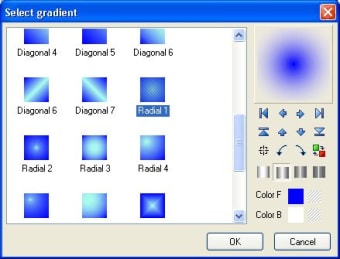
Aha-soft IconXP allows you to edit icons and customize the Windows desktop appearance. It supports the new icon format introduced in Windows XP (employs smooth transparency and other visual effects). You can create and edit icons in either standard or custom sizes, with color depths up to 32-bit True Color with 8-bit alpha channel.
What you can do with IconXP:
Trial version
3.20
Windows
Windows 98 SE
English
4.8K
1.30 MB
View an ad to download for free
Have you tried IconXP? Be the first to leave your opinion!
Add reviewBring Los Santos to Life on Your Desktop

Bring life to your screen display

Taskbar personalization utility for Windows

Easily transfer files to your Samsung device

For When You’re Tired of Windows’s Default Sound
Bring Los Santos to Life on Your Desktop
Bring life to your screen display

Customize your folder colors for easy identification

Seamless trading environment for Windows users
For When You’re Tired of Windows’s Default Sound
Bring Los Santos to Life on Your Desktop

Xender - Share Music Transfer: Multimedia File Sharing Software
Bring life to your screen display
Seamless trading environment for Windows users

A Free Desktop customization program for Windows
Free
Bring Los Santos to Life on Your Desktop
Free
Xender - Share Music Transfer: Multimedia File Sharing Software
Free
Bring life to your screen display
Free
Seamless trading environment for Windows users
Free
A Free Desktop customization program for Windows
Automatically display the lyrics of songs

Custom icons have never been easier
Clean and elegant skin for Opera
Add a smart toolbar to the side of your desktop
Work easily with multiple desktops
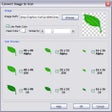
Create and edit icons and favicons

Mesmerising hallucinogenic screensaver

Searches and displays lyrics for the song you're playing

Arrangeit Personalization App for Windows

Modify the settings of your windows
Create professional looking business cards in minutes