IconXP

IconXP
License:
Trial version
Language:
English
Developer:
OS:
Win95/98/98SE/Me/2000/NT/XP/2003
Updated:
See detailed info

Softonic review

“Create and edit icons with smooth transparency”

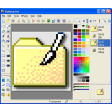
Aha-soft IconXP allows you to edit icons and customize the Windows desktop appearance. It supports the new icon format introduced in Windows XP (employs smooth transparency and other visual effects). You can create and edit icons in either standard or custom sizes, with color depths up to 32-bit True Color with 8-bit alpha channel.


What you can do with IconXP:


  • Create and edit icons in either standard or custom sizes, in depths up to 16 million different colors
  • Create and edit icons for Windows XP in 32-bit color depth with 8-bit alpha channel
  • Open and edit images in sizes up to 3000x3000
  • Import images in various graphic formats (ICO, ICPR, BMP, JPEG, ANI, CUR, GIF, PNG, WMF, XPM, XBM, WBMP and Adobe Photoshop PSD) directly into icons
  • Export icon images to ICO, ICPR, BMP, JPEG, CUR, PNG, GIF, RC, XPM, XBM, WBMP and Adobe Photoshop PSD files
  • Capture screen images
  • Paint images with gradient and chess fill
  • Modify images with drop shadow, smooth, rotate, grayscale, colorize, hue/saturation, roll and mirror effects
  • Replace image colors
  • Import and export icon color palettes
  • Sort images inside icons
  • Modify the default icons Windows uses to display My Computer, Recycle Bin, Internet, Start menu items, drives, shortcut and sharing overlays, and other objects
  • Customize your desktop attributes
  • Customize your folder icons

Download IconXP 3.20

IconXP is virus free

We have analyzed the latest version of IconXP with 30 antivirus engines and it is virus free. See analysis results.

TESTED VIRUS FREE - Softonic GUARANTEED

Review and rate IconXP

Your avatar

Your opinion is important.
Help other users - be the first to review this program.

Review
  1. Maximum: 75 characters

  2. See example

Pros and Cons
Rate
  1. What rating would you give IconXP?

    You need to fill in all fields

    • Usability:

      Not rated
    • Stability:

      Not rated
    • Installation:

      Not rated
    • Functionality:

      Not rated
    • Appearance:

      Not rated
    • Overall rating:

      Not rated
  2. Don't worry, we won't make your email address public.

You're not allowed to share serial numbers, cracks, etc. or link to pages that contain them. If you do, your user account will be deleted, your IP address logged and legal action will be taken.

Get started - just ask a question!

Write a title for your question.

Alternativesto IconXP

  • In English:
    IconPhile
    IconPhile

    Change all icons on your system easily

    Softonic rating:
    • 8/10
    User rating:
    • 10/10
  • Free:
    Pixelformer
    Pixelformer

    A fully featured free icon editor

    Softonic rating:
    • 8/10
    User rating:
    • 9/10
Compare with IconXP

Screenshots from IconXP

Download rank: Organizers & Editors

19 of 40

Softonic rating:
  • Good
  • 7/10
User rating: (13 ratings)
  • Not good
  • 2/10
Your rating:
Your rating
  • 0

Review and rate this program

Blog posts about IconXP

More

Top Downloads: Organizers & Editors

  • United States
  • Global

  1. All-in-one tool for extracting, creating and editing icons

Reviews of IconXP in other languages